Safari 27 Revolutionizes Tab Management with AI-Powered Grouping
Apple's upcoming Safari 27, expected to debut at WWDC, introduces a groundbreaking feature that leverages artificial intelligence to automatically organize your browser tabs into groups. Building on the Tab Groups functionality introduced in Safari 15 back in 2021, this update aims to simplify how users manage multiple open tabs across iOS, iPadOS, and macOS devices. According to Bloomberg's Mark Gurman, a test version of Safari for the next-generation operating systems includes a new automated organization tool that takes the hassle out of manual grouping. Read on to discover how this innovation works and what it means for your browsing experience.
What is the main new feature in Safari 27 related to tab grouping?
Safari 27 introduces an AI-driven feature that automatically groups your browser tabs for you. This is a significant upgrade from the existing Tab Groups system, which required users to manually create and manage groups of tabs. The new feature, accessed via a redesigned tab group switcher button at the center-top of the browser, includes an option labeled "Organize Tabs". When activated, Safari's artificial intelligence analyzes your open tabs based on content, context, or usage patterns and intelligently organizes them into logical groups. This not only saves time but also helps reduce clutter and improve focus, especially for users who frequently juggle dozens of tabs across research, work, or personal projects. The feature is currently in testing and is expected to be available in the final release of Safari 27 later this year.
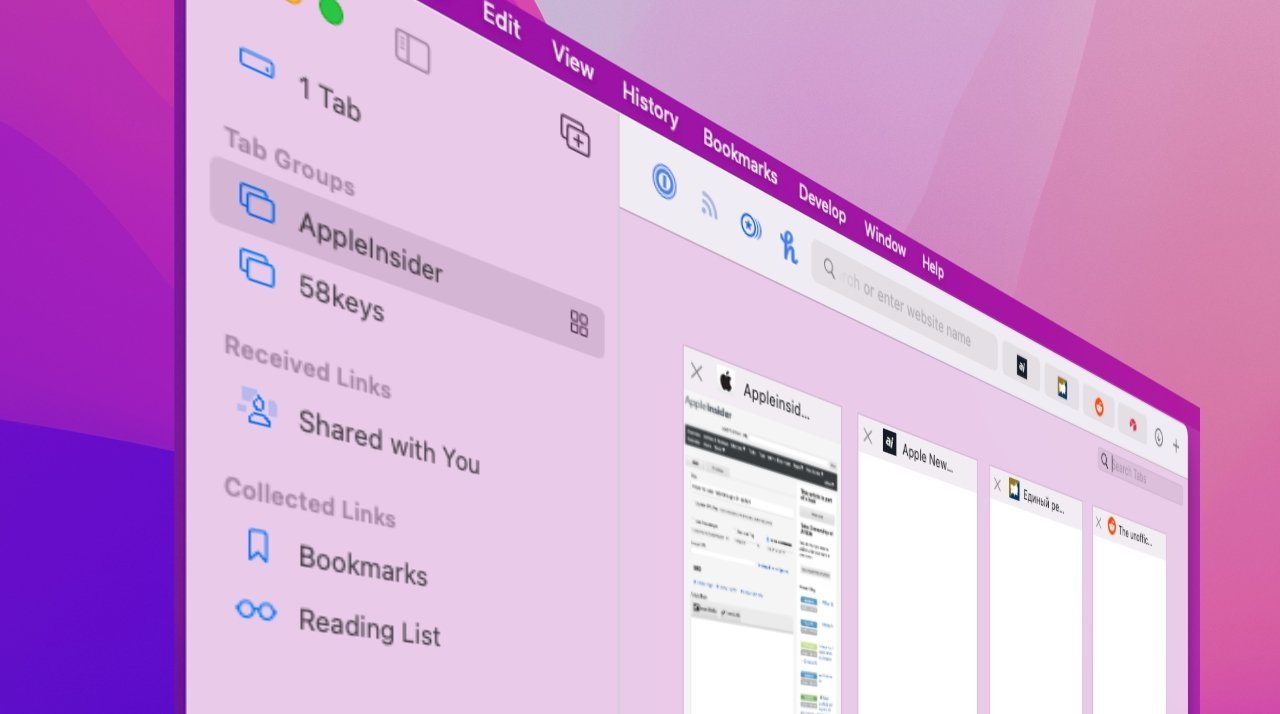
When was the original Tab Groups feature introduced, and how does this new feature differ?
Apple first introduced Tab Groups with the launch of Safari 15 in 2021, allowing users to save and organize groups of frequently used browser tabs. This manual grouping was a helpful productivity tool, but it required users to create, name, and manage each group themselves. The new automated organization feature in Safari 27 represents a major evolution. Instead of relying on user input, Safari now uses artificial intelligence to autonomously sort tabs into groups based on their content and relevance. For example, tabs related to shopping, news, or work projects might be automatically grouped together. The difference is like moving from organizing your desk by hand to having an intelligent assistant that tidies up based on your habits. This shift saves effort and makes tab management more intuitive, particularly for users who frequently have many tabs open.
How does the automated tab grouping work in Safari 27?
The automated tab grouping relies on Apple's on-device AI to analyze the content of each open tab. When you click the center-top button that lets you switch between tab groups, you'll find a new option called "Organize Tabs". Selecting this triggers Safari to scan your tabs for common themes, keywords, or contextual clues. The AI might group together all tabs from the same website, tabs covering a specific project, or tabs with similar article topics. The grouping is done entirely on your device, preserving privacy while delivering smart, real-time organization. Once grouped, you can still manually rename, add, or remove tabs from groups as needed. This hybrid approach combines the convenience of automation with the flexibility of manual control, ensuring that your browsing experience remains both efficient and personalized.
Which operating systems will support the new automated tab grouping feature?
Safari 27 with AI-powered tab grouping is being tested across Apple's major platforms: iOS 27, iPadOS 27, and macOS 27. This means the feature will be available on iPhones, iPads, and Mac computers. The cross-platform consistency allows users to benefit from automated tab organization regardless of which device they are using. Apple has a history of synchronizing Safari features across its ecosystem, so it's likely that tab groups created automatically on one device will sync seamlessly with others via iCloud. This ensures a unified browsing experience. The test version of Safari running on these operating systems includes the "Organize Tabs" button, indicating that the feature is being fine-tuned for a broad release alongside the upcoming OS updates expected later this year.

Where was this information about Safari 27's new feature first reported, and by whom?
The news about Safari 27's AI-powered tab grouping was first reported by Mark Gurman in his "Power On" newsletter for Bloomberg. Gurman is a well-known journalist with a strong track record of accurately predicting Apple's upcoming features and releases. According to his report, the test version of Safari for the next-generation Apple operating systems includes the automated organization tool. The feature is believed to be in development for a likely debut at Apple's Worldwide Developers Conference (WWDC), where Apple traditionally showcases software updates. Gurman's report also noted that the new option appears in the center-top button used to navigate between tab groups, making it easily accessible for users who want to quickly tidy up their open tabs. This source lends credibility to the feature's existence and its expected timeline.
When is Safari 27 expected to be officially released, and will it debut at a specific event?
Safari 27 is expected to be announced at Apple's Worldwide Developers Conference (WWDC), which typically takes place in June. At WWDC, Apple previews the next major versions of its operating systems, including iOS, iPadOS, and macOS. Safari 27 will likely be bundled with those OS updates. A developer beta may become available shortly after the WWDC announcement, allowing developers and early adopters to test the new automated tab grouping feature. The public release will likely follow in the fall, alongside the official launch of the new operating systems. Given this timeline, users can expect to experience the AI-powered tab organization by late 2025. The feature's inclusion in a test version strongly suggests it will be a key selling point for Safari 27, enhancing productivity and user experience.
Related Discussions